Skip to content
 Recommended For You
We recommend this article to those who are having difficulty creating a website with WordPress or want to learn how to use the Elementor and Crocoblock plugins. It will be especially useful for beginners who feel overwhelmed by website design due to a lack of coding knowledge.
Overall
Elementor is a powerful editing tool that makes website creation with WordPress visually easy. It helps you achieve your desired design through a drag-and-drop interface, even without programming knowledge. Crocoblock extends Elementor’s functionality and provides a variety of widgets, enabling richer expressions and designs. Both plugins are solutions that significantly enhance the convenience and extensibility of WordPress website creation.
Tips
- Unlike the default WordPress editor, Elementor offers a visual editing environment, making it easy for beginners to access.
- The Elementor Pro version requires a subscription for additional features, but we recommend thoroughly mastering the free version first before purchasing if needed.
- Crocoblock offers various functions within a single plugin, reducing the hassle of installing and managing multiple individual plugins.
Read More in the Original Article
Elementor is a tool that visualizes the complex process of WordPress website creation, helping anyone design with ease. While the default WordPress editor often requires coding knowledge, Elementor allows you to complete your design by placing widgets and adjusting styles using a drag-and-drop method. You can add desired elements such as text and images to your page using the various widgets in the left sidebar and freely change the design. The Navigator feature also allows you to check and manage the order of widgets during editing.
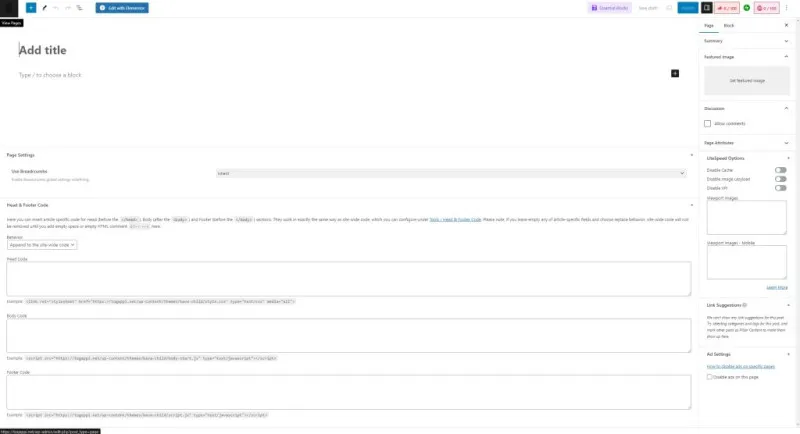
Unlike Elementor, Crocoblock’s strength lies not in changing the editor itself, but in maximizing Elementor’s widget extensibility to implement more diverse designs and functions. It has the advantage of easily implementing complex website functions by selecting and combining desired widgets without programming knowledge. It’s efficient because you can solve multiple needs with just one Crocoblock plugin instead of installing various individual plugins, and it also facilitates easy integration between plugins.
This article introduced the basic concepts and usage differences between Elementor and Crocoblock. In the next article, we will cover specific details on how to design actual websites using these plugins and which features can be used effectively. For more detailed information, please refer to the original article.