Skip to content
 Recommended for You
This article is recommended for WordPress beginners who want to learn the basic terminology and setup methods required for website construction. In particular, it will help you understand the design and functionality of a WordPress website, such as selecting and customizing themes, and utilizing widgets.
Overall Review
This article provides a detailed explanation of essential terminology and practical application methods for WordPress themes, styles, and widget settings. It clearly addresses various concepts that WordPress beginners may encounter when building a website for the first time, aiding understanding with practical examples. The specific explanations on theme customization and widget styling will be of great help in actual website creation.
Tips
- WordPress themes provide the basic framework for a website, and various themes can be used to apply the desired design.
- The “Customize” feature of a theme allows you to set overall design elements such as site identity, colors, and typography.
- Widgets are a feature that adds various elements such as text, images, and buttons to a website, and you can customize them as desired by adjusting the content and style of each widget in detail.
Read More from the Original Article
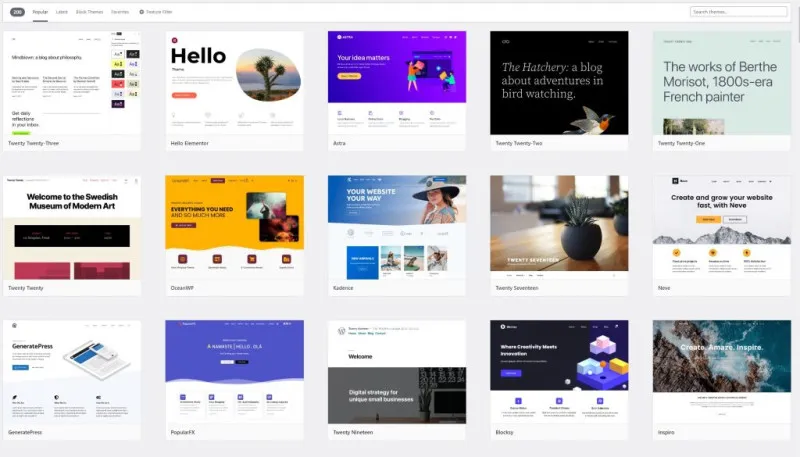
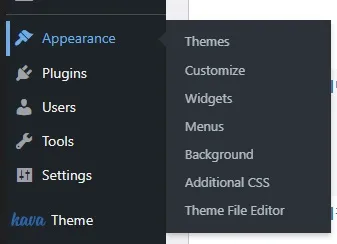
WordPress themes are an important element that determines the first impression of a website. This article guides you through the basic concepts of themes, starting from how to add and apply new themes in the ‘Themes’ section of the ‘Appearance’ menu. In particular, using the Kava Child Theme as an example, it emphasizes that the basic usage is similar even when using other themes. A detailed explanation of the Theme Customizer function provides specific instructions on how to set each item, such as Site Identity, General Site settings, Colors, Typography, and Homepage Setting, offering practical guidelines on how users can decorate their websites.
The widget settings section explains various options in the Content and Style tabs, focusing on the button widget. It covers detailed settings from button text and link configuration to advanced options like ‘Open in new window’ and ‘Add nofollow’. Furthermore, the style settings demonstrate with specific examples how to adjust visual elements of the button, such as Typography, Text Shadow, Normal/Hover states, Border, and Padding. The explanation of the difference between Padding and Margin particularly clarifies points that beginners often find confusing. In addition, the ‘Advanced’ section indicates that content will be added later, encouraging readers to anticipate updated information.